EDIT: An updated and revised review of this laptop can be found at over at Expert Laptop Review:
I recently went on a laptop buying rampage and have ended up with the Dell Studio 14z, HP dm3z (L625 + Radeon 4330), and the Asus UL80VT-A1 in possession all at once. The first part of this review will focus solely on the Asus UL80VT-A1 and the second part of this review will compare it with my experience with the Dell Studio 14z and the HP dm3z.
ASUS UL80VT-A1 DETAILED REVIEW
First and foremost, let me say that I ordered the UL80VT-A1 because I thought it was simply an awesome idea to have switchable graphics in a laptop because you get excellent battery life + excellent performance when needed. There were no reviews of the UL80VT out when I purchased it, so I purchased the UL80VT-A1 from , which has a 100 percent refund on purchases just in case things didn't work out with me and the new lady.
While I was waiting to recieve the laptop in the mail, I read a review over at . Oh boy, was I disappointed considering all the bad things the reviewer had to say about it (i.e. bad keyboard, bad track pad, horrible build quality, poor gaming performance). Needless to say, I had second thoughts about even opening up the Asus UL80VT-A1 because I didn't think it was worth my time considering the all the problems the reviewer had with his review model.
So that morning I got my HP dm3z in the mail and was really excited about how incredibly beautiful the laptop was. It is definitely sexier (in my opinion) than every other ultraportable out there, including the Macbook Pro 13" and HP Envy 13. I'll get to the dm3z a little later... either way, my first impression led me to believe that I'd probably be keeping the dm3z and just returning the Asus. When the Asus came in the mail, I wasn't even watching for it like I had been the dm3z. But I did take it upstairs and opened it up. (Unboxing video coming soon...)
FIRST IMPRESSIONS
My first impression was astoundingly contradictory to review I had read. I picked it up, squeezed it, pushed on the keyboard, which had minimal flex that wasn't noticeable to me when typing. My other first impressions were just how well the trackpad worked. The two finger scroll worked flawlessly (though it isn't as smooth of a scroll as Apple's, it functions equally responsively and is just as useful).
GRAPHICS PERFORMANCE Rating 9/10
Over the last view days, I've been taking the UL80VT-A1 out for spin in a series of gaming tests. The first game I tested was the ever popular Counter-Strike: Source. I was astounded by the computer's ability to put out 150 FPS in the stress test at native resolution of 1366x768. I had been expecting to get closer to 80-100 FPS. I then tested it with 4x AA on, and it resulted in 99 FPS, which is phenomenal considering that AA usually cripple weaker graphics cards like the Nvidia 210M.
I was eager to test out the UL80VT's performance in some of the latest games because of the previous review I had read that had denounced its ability to play modern games. I had recently purchased Batman: Arkham Asylum. I loaded it up with the default settings, which were set on Very High at native 1366x768 resolution. Game play was moderately smooth and playable, but it was also noticably choppy at times with those settings (26 FPS average in the video stress test), so I dropped the settings down to medium. This time the Asus got 40 FPS average in the video stress test, and the game play was perfectly playable and smooth.
I then downloaded Team Fortress 2. It has been known to give ultraportable gaming machines a tough time due to its high shader requirements. When playing, I averaged about 50-60 FPS at native resolution with everything on High with no AA. I noticed drops down to 30 FPS when in heavy action, but it was not too disruptive to game play. I don't think it went below 30 FPS during the time I played.
After hearing claims that Asus UL80VT could not run Need For Speed: Shift well. I downloaded the demo to see if these claims were true. Fortunately, they were not. I was able to achieve playable frame rates, though it was a little choopy with the default settings, which had the screen at 1024x768 resolution and everything else up in detail. I tried changing the settings, but after changing the settings to lower the resolution to 800x600, the game repeatedly gave me an error and crashed right as the race was about to start. Unfortunately, I was not able to do a formal test, but it was clear that the game was getting at least 30 FPS at 800x600 resolution with texture settings on High. I would expect the game to be very playable as long as you are content with 800x600 (or maybe slightly better res) and medium settings.
I also managed to squeeze in a little play time in Protoype, another recent game that was released earlier this year. It played very smoothly at the default 1280x720 (which was the max res for some reason) and on the default medium settings.
Another game I was able to try was Call of Duty: World at War, which has identical specs to the latest Call of Duty: Modern Warfare 2. People will be glad to know that I was able to achieve 35-40 FPS constant at native resolution 1366x768 with texture settings on "normal" (except for "shader settings" which I set to "low"). I also turned off all of the extra graphical features, which didn't make much of a difference in visuals anyway.
In conclusion regarding the gaming peformance of this ultraportable laptop, it has excellent performance and handles most modern games fluidly at native resolution.
BATTERY LIFE Rating 10/10
Yesterday, I used the laptop for 3 hours early in the morning with wifi on and brightness up. Later that day, I used it for about 15 minutes running Batman: AA. I then used it about 7 hours more with brightness at about 20% (2.5 hours with wifi on and 4.5 with it off). In total the laptop lasted me 10.25 hours between a mixture of wifi, gaming, and note taking/paper writing. I was extremely happy to get this excellent of performance out of it. This was precisely what I was looking for in terms of battery life.
BUILD QUALITY Rating 6/10
My initial impression was that the build quality was just average--not great, but nothing bad about it either, but now after having it for a couple days, I now agree with Charles' review about some of the issues with build quality. Yesterday morning when I was typing, I noticed that when I pressed down on the front edge of the left palm rest it squeaked annoyingly (it hadn't pressed down on this part of the laptop when it was on a hard surface yet because it had always been on my laptop up until this point).
I began squeezing the front edge and noticed that top part of the chassis isn't cemented to the bottom part of the chassis very well so that when you put pressure on it (such as when you rest your palm on it) it made a noise. I tried placing about an inch long piece of scotch tape across the part that was sqeaking, and the squeaking went away completely. It was disappointing to find this because it was the first issue with the build quality. Also, I now understand what Charles meant when he said that when he pressed in the center of the laptop it causes the bottom of the laptop to touch the surface it is resting on...
It's not if you press in the middle of the keyboard like I had thought Charles had said (my bad!!)... it's if you press on the trackpad buttons (like Charles had really said), he was right that you can feel the laptop touch the surface it is resting on, but the thing Charles was wrong about is that it isn't the bottom of the laptop touching the surface below it... it's a little "support peg/foot" that protrudes from the bottom of the laptop about 1/10" of an inch.
The overall chassis does flex a tad, but it is just the peg touching, and the peg is maybe moving 1/16" of an inch tops (probably less). So yes, the chassis does flex just a hair, but not as bad as the review makes it sound (I think the review should be updated with this information personally).
I am thinking about putting a drop of super glue on the edge of the left palm rest to keep it from squeaking. I'm pretty sure it would work without a hitch unless you put too much glue and then tried to take the casing apart and wasn't able to. I figure it wouldn't void the 1 year accidental warranty but maybe the 2 year standard warranty if they figured out what I did. I'm not sure though... I figure you can always "cut through" the glue so that the chassis can be opened if you needed to send it in for repairs.
I also noticed that the entire surface (including the aluminum top) acquires fingerprints. I was disappointed that the aluminum top also was prone to oils from my fingers.
HEAT MANAGEMENT Rating 10/10
The heat on this bad-boy is hardly noticeable. I think more heat is generated because it is restricting the airflow over your lap more than anything. Whenever my lap started to feel a little warm, I would feel the bottom of the laptop but the bottom of the laptop never got hot. It was always just the fact that my legs weren't getting as much air to cool them down.
I was also able to play Batman:AA while on my lap just fine, though it was starting to be mildly uncomfortable by the time 30 mins rolled around. Still, as far as gaming on the lap goes, I think it would be doable, and far more doable than on any other laptop I have ever tried.
This laptop is by far the coolest running laptop I have ever owned (I've owned about 14 different laptops...). For this reason, I give it a 10/10 in heat management.
KEYBOARD Rating 8/10
Overall, I find the keyboard to be a little above average. I do not like the fact that there are no keys dedicated to playing and pausing music. To access media controls, you must hold the FN button down and tap the arrow keys (down arrow = play/pause). I do not notice any flex when typing. The primary concern that I had was from the squeaky palm rest edge when typing. After I fixed that issue, the keyboard became quite pleasant to use.
TRACK PAD Rating 9/10
I find the track pad to be the best track pad I have ever used on a PC. It does have a glossy surface, but I did not find that the surface was not nearly as sticky as the surface on many HPs (including the dm3z). I also found the trackpad to be responsive and that the multitouch gestures such as two-finger scrolling to work perfectly nearly every time.
The ELAN touch pad has configurable options to enable you to change the sensitivity of the two-finger scroll as well as enable you to use two and three finger taps to do customizable actions. I have my two-finger tap to do a right click and my three-finger tap to show my desktop.
My only complaint regarding the touch pad is that the uni-button. The uni-button looks like only one button, but has a left side and right side that makes up two buttons. When the uni-button was pressed towards the middle, it was very difficult to click, but if you pressed it near the ends the button became more usable. This was also the case with the Acer Timeline 4810t that I had owned for some time. I have found that the tap to click function is very usable, especially since I can just use two fingers if I need to right click. Therefore, I hardly use the button anymore anyway. My system works just fine.
OVERALL VERDICT Rating 9/10
Despite its (fixable) flaws in build quality and poor touch pad button (again just use "tap to click" instead), I'm still impressed with laptop and can definitely recommend it to friends who aren't particularly picky about build quality. The UL80VT-A1 will provide the performance most casual gamers want in a portable package that has a very long battery life and is inexpensive compared to similar models. [Oh, wait, scratch that... There has never been anything like the UL80VT-A1 to ever come out before... except maybe the Acer Timeline 3810TG that had switchable graphics, but that computer was only available in the UK. ]
COMPARED TO THE COMPETITION (DELL STUDIO 14Z and HP DM3Z)
I have now owned a Dell Studio 14z for about two months. I also purchased a HP dm3z, which I had originally planned on writing a review of but I don't know if I'll find the time. Maybe I'll just do a video review...
Anyway, the HP dm3z initially impressed me tremendously with its fantastic metal looks and thin profile. However, two issues became immediately apparent that prevented me from considering the laptop further: the HP dm3z produced a tremendous amount of heat even while just idling (the bottom got roasting hot while playing games... though the palm rests stayed pretty cool) and I quickly became frustrated by track pad lag and malfunctioning two-finger scrolling. The problem with the two finger scroll is due to the fact that it does not always register that you are actually using two fingers, therefore, it thinks you only have one finger down and shoots your mouse all the way across the screen where you didn't want it to go.
Beside the two-finger scroll I noticed minimal track pad lag (though there was lag). The track pad was definitely usable and should not prevent someone entirely from purchasing it for that sole reason, but after trying out the UL80VT's track pad and comparing the two. It was night and day. The UL80VT's was immediately responsive and the two-finger scrolling worked perfectly pretty much all the time. I have sorely missed two-finger scrolling since getting rid of my Macbook Pro a year ago. I am very glad that PCs are starting to make it standard on the majority of notebooks today. Unfortunately, the HP dm3z did not have good enough drivers to make the two-finger scrolling worthwhile.
One thing that I really liked about the dm3z is that it had an excellent keyboard with zero flex and it included media control buttons for the function keys (like Dell Studio 14z). I would definitely recommend the dm3z to people as long as you understand that it is going to produce a lot of heat (especially while watching video/playing games), the track pad is just going to be so-so, and you aren't going to achieve the same battery life you would if you went with the UL80VT (unless you went with the intel version with integrated graphics).
I began searching for a new laptop shortly after I found paint chipping on my Dell Studio 14z. It was frustrating since I try to take excellent care of my laptops and chipped paint tends to bring the resale value of laptops down tremendously. All in all, I found my experience with the 14z to be a good one and would recommend the laptop to someone who has a strict budget and can't afford a UL80VT.
With the dell, I was typically able to get about 3.5-4.5 hours of battery life (8-cell in windows 7) while surfing the internet-writing documents. The HP dm3z seems to get about 4.5 hrs of web surfing time. The Asus literally doubles the length of my time I am going to be away from the wall (with both the HP and the Dell...).
My primary complaints with the Dell Studio 14z were related to the build quality (paint chipping and noticeable keyboard flex that was causing me discomfort). I loved the back-lit keyboard and will miss that feature on the UL80VT, though I am a touch typist so it will make little difference in terms of actual functionality.
I love the fact that my UL80VT has a DVD-RW because I like to watch DVDs at Starbucks that I rent from Redbox. I couldn't do that with the 14z because it lacked an optical drive, but I can do that with the Asus.
It should also be noted that the UL80VT has a better screen than both the Dell and the HP (in my opinion).
IN CONCLUSION
After I discovered the flex, I began contemplating switching over to a Macbook Pro 13". So I went to my local Best Buy to compare sizes, keyboard, touchpad, etc... I got to the store and there was a bestbuy sales guy there that I got to know pretty well when I bought my Dell Studio 14z. I began explaining to him how the 14z hadn't met my needs due to a sucky touch pad and paint chipping off for no reason, etc. I pulled my UL80VT out of my bag and explain to him the features of the laptop (i.e. switchable graphics, 10 hour battery life). I loaded up Batman Arkham Asylum and he was amazed that it played smoothly at native resolution. I showed him squeaky palm rest and explained to him I was considering getting a 13" Macbook Pro. He responded pretty quickly that he didn't think that apple would have anything that would be an upgrade from this so just recommended that I just stick with the Asus... (lol and he's a sales guy that is supposed to sell laptops for best buy, not recommend for me not to buy them... lol)
I agree with the guy at Best Buy. Apple's got nothing on the Asus UL80VT... except maybe better build quality, poorer performance, and a $500 dollar increase in price. Hint: get the Asus, unless build quality is of utmost importance to you.
I'm sorry that this review was so scatter-brained. I like to keep things more organized, but I also just wanted to get this review posted!!

I don't usually spend my time putting in reviews because it doesn't benefit me much (I know, kind of selfish) but this product was just too good to not leave a review, especially since there's no review here yet.
I've been looking at laptops for years now, always looking for the one that hits all the sweet spot. I didn't NEED it so I was able to just keep waiting for the right one. Here were all the things I was looking for.
Fast speed For gaming like World of Warcraaft, etc.
Long battery life It's not mobile if you're chained to power cord.
Decent price Nobody should be paying more than a grand for a laptop.
Temperature This is something many people don't think much about until too late. Laptops get HOT, and then they're no longer LAPtop, but a DESKtop.
DVD drive Because I like to keep my options open.
Every laptops I've seen through deal sites, etc NEVER met all of these criteria. Until now. This computer really is THE laptop to get right now.
Pros-------------
Great speed I just ran World of Warcraft and it runs SMOOTH with mid-high setting. I also saw from another review that this can run Farcry2 or Crysis2 at 40fps which is pretty damn good.
LED screen This takes some getting used to since I'm not used to seeing such rich black on monitor but it looks bright, crisp, and shiny. (latter might be issue if you live with many light fixtures)
Video YES it has Nvidia video card on top of Intel integrated. This allows for awesome gaming which many other laptops just can't do.
Temperature It doesn't burn! :D It still gets warm, especially on left side near vent but it's not so hot that I have to put something underneath to shield my lap like previous laptops I had.
Weight I'm kinda scrawny guy and I can lift this with one hand with no issue. This will be handy as you move around the house or carry in yer bag.
Battery life AWESOME. just check any other review on this because they'll all tell you this thing last a loong time. It was tough to find laptops that can last long WHILE also having great performance AND be under a grand. Now there is.
ExpressGate It allows you to turn on a laptop from off or hibernation mode, into special operating system that has skype, photo, and web browser among others. So if you need to google something quick, now you can! There's downside to that in cons section.
Cons----------------------
Keyboard This is very minor annoyance but I want to be thorough. When you type, sometimes, you hear this light metal ringing-ish sound that's coming from metal underneath the keyboard. It's not the quietest keyboard you'll use but it won't drive you crazy either.
Touchpad I had to figure out the issue with this because it was bugging the hell out of me. It has two and three finger gestures like scroll and right/middle click. Issue was it wasn't accurate and working sporadically. Scroll especially was driving me nuts because it'll scroll at its own speed/time. I tried pressing my fingers lightly/heavily but difference. Then I figured it out. You have to have you movement straight up and down or left/right. When people use the touchpad, we usually have our hand in an angle so we end up scrolling in almost like \ instead of |. Well, touchpad doesn't like that. Same goes for right/middle click that requires 2-3 fingers. It works best if you have your fingers in same x axis. Some people won't be affected since they'll use mouse but if you'll be using touchpad a lot, be prepared for bit of adjustment. Oh, and if you prefer to click the button instead of tapping the touchpad for mouse clicks, exercise your finger because button's bit harder to press than other touchpad buttons I've used.
ExpressGate Idea is great. Execution, not quite. I was expecting instant on like when you come out of sleep mode but unfortunately, there's still some wait involved. 10-ish seconds I believe. Also, Asus installed regular monitor version of expressgate onto this widescreen laptop so everything's stretched to fit widescreen. So far, I haven't figured out how to change resolution in this mode. It's good for quick browsing but not for long session.
Power cable OMG, where do ASUS think people live in? Castles!? Power cord is the longest I've ever seen. About 10-11 ft total (big power block right in the mid point). And although it comes with velcro strip to manage the cable, I found there's too much cable to roll the cable neatly. Just prepare for some mess when packing cable. Good thing this has 10 hour battery life so you won't have to deal with cable too much.
All in all, Pros are all important crucial items and Cons are minor annoyance at best. This is really the best laptop you could get at this price with this much features and performance. I remember coming across Sony and HP that had similarity (good speed, light weight, dvd) and those were going for 1800ish.. and it didn't even have 10hr battery life. If you don't believe me, when you go out for laptop shopping, just have this computer's feature written down and compare. You ain't gonna find one that beats it easily.
EDIT:
Couple things I came across after prolonged use.
1. It does get hot, especially near vent but only when I'm using it intensely like 3d games. but it doesn't get hot on the surface much. Just underneath near vent.
2. Changing performance mode requires you to quit any apps that use video card, such as Photoshop, games, etc. So change before you load them. Otherwise, when you press the button to change the power mode, nothing happens.
3. OMG FINGERPRINT MAGNET. EVERYWHERE. >.<
Still loving it though.
Buy ASUS UL80Vt-A1 14-Inch Thin and Light Black Laptop (11.5 Hours of Battery Life) Now
I have never written a review of any kind, not that I don't come across good products or service, but it's like the next item on one's list which one never gets to. However, the ul80vt-a1 is just too awesome a laptop that after one week of ownership, I am still jumping up and down like a little puppy, given my typical enthusiasm normally lasts no more than 48 hours.
By the time you read my review, you've already known all the good things about this laptop -very long battery life, fast performance, cool to touch, bright screen with sharp resolution, clear and loud speakers, thin and light weight in spite of the presence of an optical drive, fast to boot. The list goes on and on, and it is all true. By the way, there is one item I haven't seen mentioned yet -the battery charges extremely fast without getting hot. And no, I don't work for Asus. In fact, before I started researching for a good laptop to buy, I didn't even know who or what Asus was, and I still cannot pronounce its name.
But what makes me so happy is that all the bad things I heard in these reviews are also not true. Not every single feature is perfect. There are some items one can fault with, but they really amount to nothing. This is what I want everyone to know so one doesn't gloss over this great laptop because someone out there doesn't like the feel of the keyboard.
1. Regardless of what other people said, the build quality of my laptop is very high, no different from the HP's, the Dell's and the Lenovo's I have owned. No, it is not flimsy, and everything snaps correctly with no gap or sharp edge.
2. The keyboard is fine. It does not feel the same as a Lenovo, but it doesn't flex like others say either. It's just that the keys are not as bouncy, so they feel a little bit soft.
3. Some reviewers mentioned the screen does not have sharp contrast. It is true when the brightness is set on high, the screen may look a little washed out, but it's not something you cannot solve by tilting the screen a little up or down. By the way, reflection from the glossy screen is not an issue, to my surprise, and you can see fine outdoor.
4. The touch pad arguably is the worst feature on this laptop. It is more sticky than one with a matte finish, and once in a while you will go out of boundary without realising it. The large single touch pad button below is positioned awkwardly and is quite honestly hard to press because the frame the button is set in is in the way. The touch pad one can get used to; the button, highly questionable.
5. Yes, fingerprints do show up, but they can be readily wiped off without much fanfare. However, if you like having a bag of greasy chips in one hand and use the computer with the other, this laptop can be a problem for you. On the other hand, it may help one kick one's junk food addiction.
6. So far I have two minor problems. Both are related to switching the power management mode:
6a. When I plug and unplug from the power cord, the screen does black out for a couple of seconds, unlike other laptops I've owned. Furthermore, sometimes when the screen comes back on, it will flicker when I mouse over something on the screen. The only remedy I have found so far is to close the application (IE 8 in my case) and start it again.
6b. When I press the Graphix Boost button, it changes the time zone automatically to pacific time (GMT-8). I haven't tried changing through the power management tool by selecting any of the Power4Gear options, but it probably will change the time zone just the same. It's minor to change the time zone back, provided you notice something is wrong with the time.
I genuinely think there is more than a good chance you will be very happy with the laptop. I know I am.
p.s. If reliability is important to you, a Nov 2009 study published by SquareTrade on the 3 year reliability records of 30,000 laptops from 9 vendors ranked Asus at the top.
Read Best Reviews of ASUS UL80Vt-A1 14-Inch Thin and Light Black Laptop (11.5 Hours of Battery Life) Here
I went through a long, 6-month search before I finally settled on the ASUS UL80Vt. As a college student, I had many seemingly contradictory criterion. I wanted:
Core 2 Duo processor and 4GB of RAM, for general productivity
Long battery life, for working on campus and in class
Decent portability, for carrying it around all the time
Discrete graphics, for the occasional game
CD Drives, USB ports and HDMI, because connectivity is important
Like any college student, I looked at MacBooks, Dells and the idea of a netbook/desktop setup, but for the net $720 I got this computer for, the ASUS UL80Vt blew them away. On to the review...
PRODUCTIVITY SPEED: 8/10
A little technical note: At stock speeds, the Core2Duo SU7300 is a 1.3 GHz processor with a 800Mhz FSB. Asus overclocks this to a 1.73 GHz on a 1066Mhz FSB, matching the 4GB of DDR3 DRAM. For those who, like me, were deciding between this and laptops with faster processors, you will not notice the difference with most software. Microsoft Office works like a charm, even on massive Excel financial models and graphic presentations. Web browsing is quick even with the 11 tabs I have open right now. The only time I've noticed faster Core 2 Duos matter was on extracting large RAR files, and even then the difference is less than a minute for a 4GB file.
PHYSICAL PORTABILITY: 7/10
Definitely heavier and larger than I expected. The 14-inch screen is balanced with a decent bezel on the top and bottom. The 8-cell battery weighs a lot more than it looks. However, it is definitely smaller and lighter than the MacBook Pro. It is also very thin, topping at slightly more than 1 in. It weighs in at 4.74 lbs., and I would say is actually light for its power. However, this is not as much a Thin-and-Light as others in its class, so do adjust your expectations.
BATTERY LIFE: 11/10
Incredible battery life. On integrated graphics, I regularly get 9 hours with 30% brightness, overclocked and WLAN on, surfing the web and taking notes. 11.5 hours may actually be realistic without the overclocking or WLAN. I've watched two full-length 720p movies and still had 25% left. On the discrete graphics, you can get 3 hours of solid gaming before you're drained. This blows netbooks, MacBooks, Dells, etc. away. Simply unbelievable.
GAMING: 8/10
This laptop has both integrated Intel graphics and a discrete nVidia G210M with 512MB of memory. I have mine slightly overclocked, and it gets 4000 points on 3DMark06 with the discrete card. Can play Dragon Age, Civilization 4, Sims 3, NBA 2K9, Warcraft III and WoW with at least medium settings at native resolution. This is probably not important to most people but I love having the flexibility to play games or play movies more smoothly with the discrete graphics. This is not a gaming rig, but can play most modern games well enough.
PORTS AND CONNECTIVITY: 8/10
It has a DVD SuperDrive (burns DVD-R/RW, DVD+R/RW, Double-Layer), 3 USB ports, an Ethernet port, a 4-in-1 memory card reader (MMC, SD, MS/MS Pro), and HDMI port, a VGA port, a microphone jack and a mic jack. It also has a 0.3 megapixel webcam and mic integrated. There's an integrated b/g/n WLAN solution, although it is not as strong as the Intel ones. A solid selection, especially on such a thin laptop. The only gripes here are the lack of eSATA and Bluetooth.
WARRANTY & SUPPORT: 10/10
2 year limited warranty with 1 year of accidental damage protection. Most laptops just come with 1 year of limited warranty. In general, extended warranties are not worth the cost, but in this case it's a welcome plus. Asus has also been very helpful with a solid support site and staff who answer questions even here.
TEMPERATURE: 10/10
Does not burn your lap. Stays very very cool. Right now the CPU is at about 98F, hard drives at 104F and the ACPI is at 118F. On load, CPU hits 130F and the GPU's have hit 180F, but still feels very cool to the touch. Can get a bit warm near the fan area on full load, but normally the fan doesn't even need to turn. The fan is also very quiet; even on max load it only has a soft hum.
Finally... to address some common gripes
BUILD QUALITY: 6/10
Definitely the weak point of this computer. Quality is not as subpar as most reviewers would have it--most laptops not called ThinkPads have some flex and give--but definitely give. The bezel is not entirely cemented to the screen, and there's a lot of give right below the screen. Keyboard flex is fine by itself; it seems extreme when you're on a desk, but that's because the entire chassis flexes when it's slightly raised. That in itself is the bigger problem. On the bottom, the two chassis halves are not cemented well together, and there is some give there. I bought a padded laptop sleeve which seems to protect it fine. I would not put too much weight on the keyboard when it's on a desk (as opposed to on your lap).
DISPLAY: 8/10
To be fair, it's a standard 1366x768 screen, plays 720p videos fine. It's a very bright LED screen, and can outshine the outdoors even though the screen is very glossy. The noted contrast problems are really a device driver problem; on integrated graphics, contrast will sometimes decrease noticeably, perhaps in a play to reduce necessary brightness. On discrete graphics, great contrast, sharp screen.
AUDIO: 7/10
Altec Lansing speakers located on the bottom of the front of the chassis. By no means audiophile-quality at all, but much better than most laptop speakers. You will sometimes block the speakers while it's on your lap, but in general distortion is lower than in, for example, ThinkPads, and volume is better than a Mac's.
In conclusion, I am highly satisfied with this purchase. If there were better speakers and better build quality, I would award this product 10/10, but as of now I am willing to rate it a 9/10 and round up. Amazon was also very helpful; I was allowed to still purchase through the $100 Gift Card promotion even after the link stopped working.
For those interested in the next generation, the UL80Jt incorporates a low-voltage dual-core Core i7 overclocked to 1.73 Ghz and an nVidia 310M with 1GB. It promises even better performance and battery life, but will clock in at just over $1,000.
Want ASUS UL80Vt-A1 14-Inch Thin and Light Black Laptop (11.5 Hours of Battery Life) Discount?
This is also my first review of a product. I was really looking forward to this laptop and when I received it and turned it on I was pretty disappointed. The display on this laptop is very poor. The contrast ratio is low, so everything looks a little washed out. Its not terrible and would be tolerable but the horizontal viewing angle is horrible! You have to get the angle perfect to make the display look acceptable. If you move it slightly towards or away from you, it looks discolored and is pretty much unusable. I have owned several laptops over the last couple years from a 13 dell xps to 18.4 inch hp hdx and I have never had a problem with or complained about a display before. I've never even considered examining a display because I'm not that picky, but that was the first thing (and only thing really) that stood out through all of my time using the laptop. The only reason I'm writing this review is to caution people about the display. If it is not that important to you than this is a great laptop. It's speedy, fairly well made, great battery life, relatively thin and light, and windows 7 rocks. If the display was better it would get 5 stars. If I had the choice to return this laptop for a full refund I would, only because of the display.
NOTE: I also have asus eee pc 105ha and it has a much better display than this laptop for contrast and viewing angles.
**UPDATE** I feel the need to clarify this because I have received a few comments with tips or information about this display. I have owned and used many laptops of all brands, price ranges, manufacturers etc... This is a BAD display, it's not just my subjective opinion. Here is a link with actual data on the subject=
I'm not saying this laptop is bad, I gave it three stars, but Asus absolutely skimped on the display!
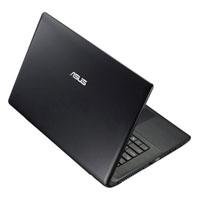 In my opinion, Asus, is one of the best notebooks, if not the best avalible today. I bought this for my brother...I did the quick setup, activated the warrenty and registration and my brother loves it! No problems whatsoever. A quality product at a very cheap price that funtions like a notebook costing far more. I dont know how Asus sells their products so cheap, but the price has to go up sooner or later. Fantastic Seller and support. The shipping was so fast I still cant believe it!